Streamocracy lets you collect donations in real time during a livestream, right through chat. Viewers can support your campaign as they're watching on platforms like YouTube, Twitch, and Facebook, no separate app or extra steps required on their end.
How Streamocracy Works
Integrate Streamocracy
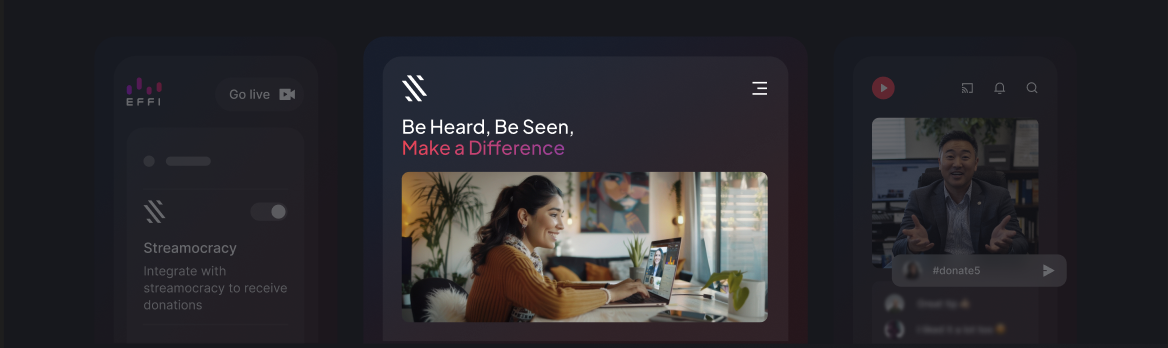
Add a donation element to your scene to start collecting donations live. This lets you set the prompt viewers will use to donate, like #donate or #give, along with a fundraising goal and a live meter that tracks contributions as they come in, building excitement as it fills up.

Announce to Your Audience
Let your viewers know they can support your campaign directly during the stream. All they need to do is set up an account at Streamocracy.com, and they're ready to contribute.
Collect Donations During Your Stream
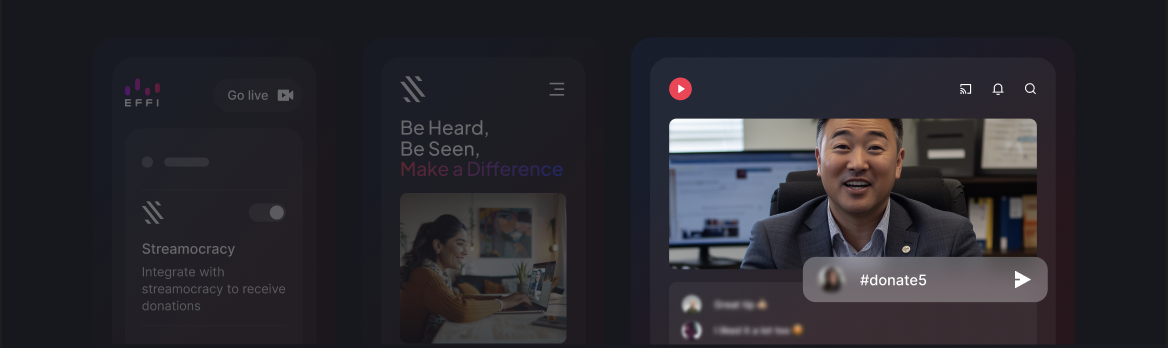
Once you're live, viewers type your chosen prompt into chat along with the amount they'd like to give, for example #donate5 to give $5. Everything they raise, along with donor details and withdrawal options, shows up in your Streamocracy dashboard once your event ends.
Accessing Your Dashboard
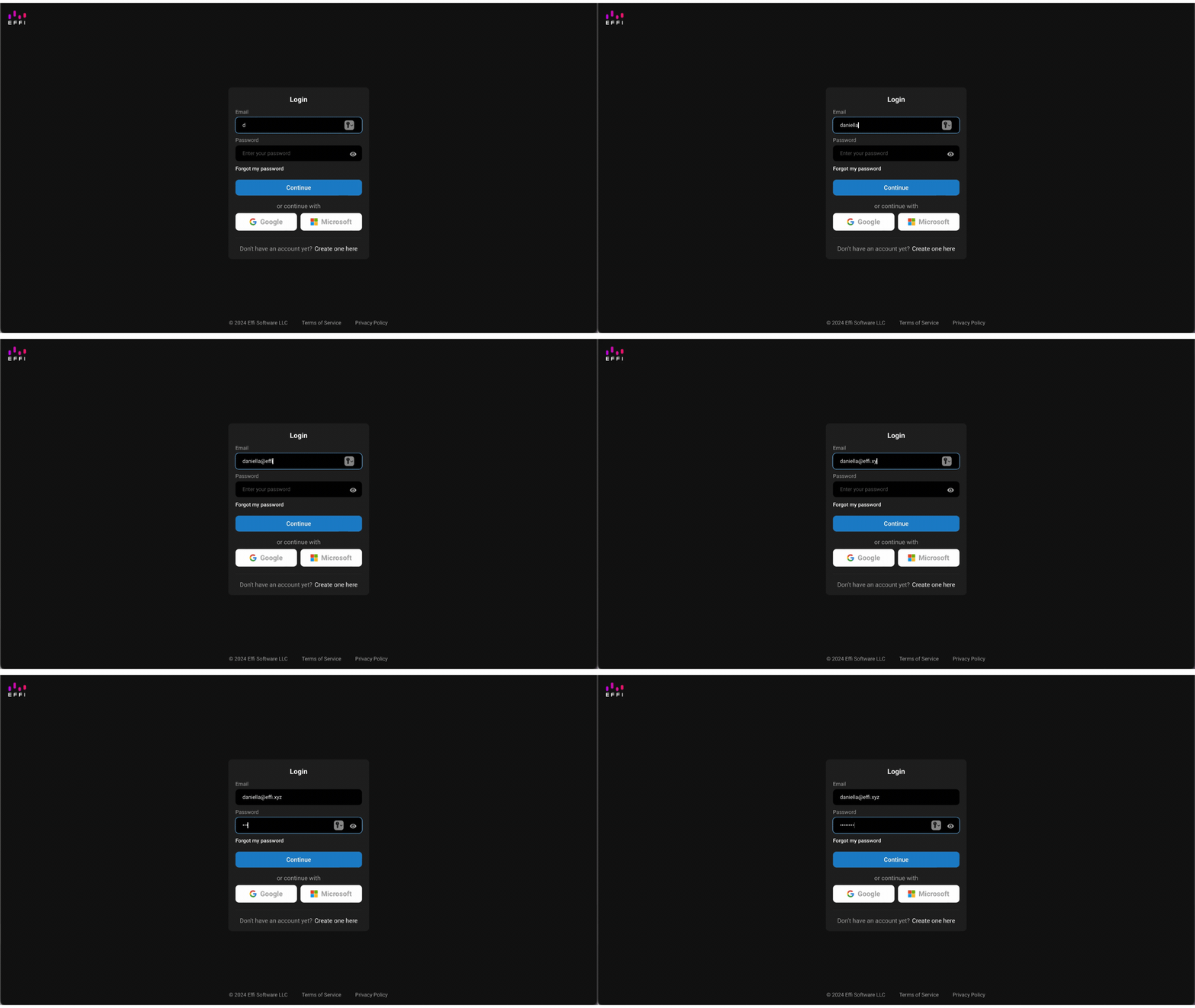
- Log in to your Effi account with your registered email and password, or sign in with Google or Microsoft.
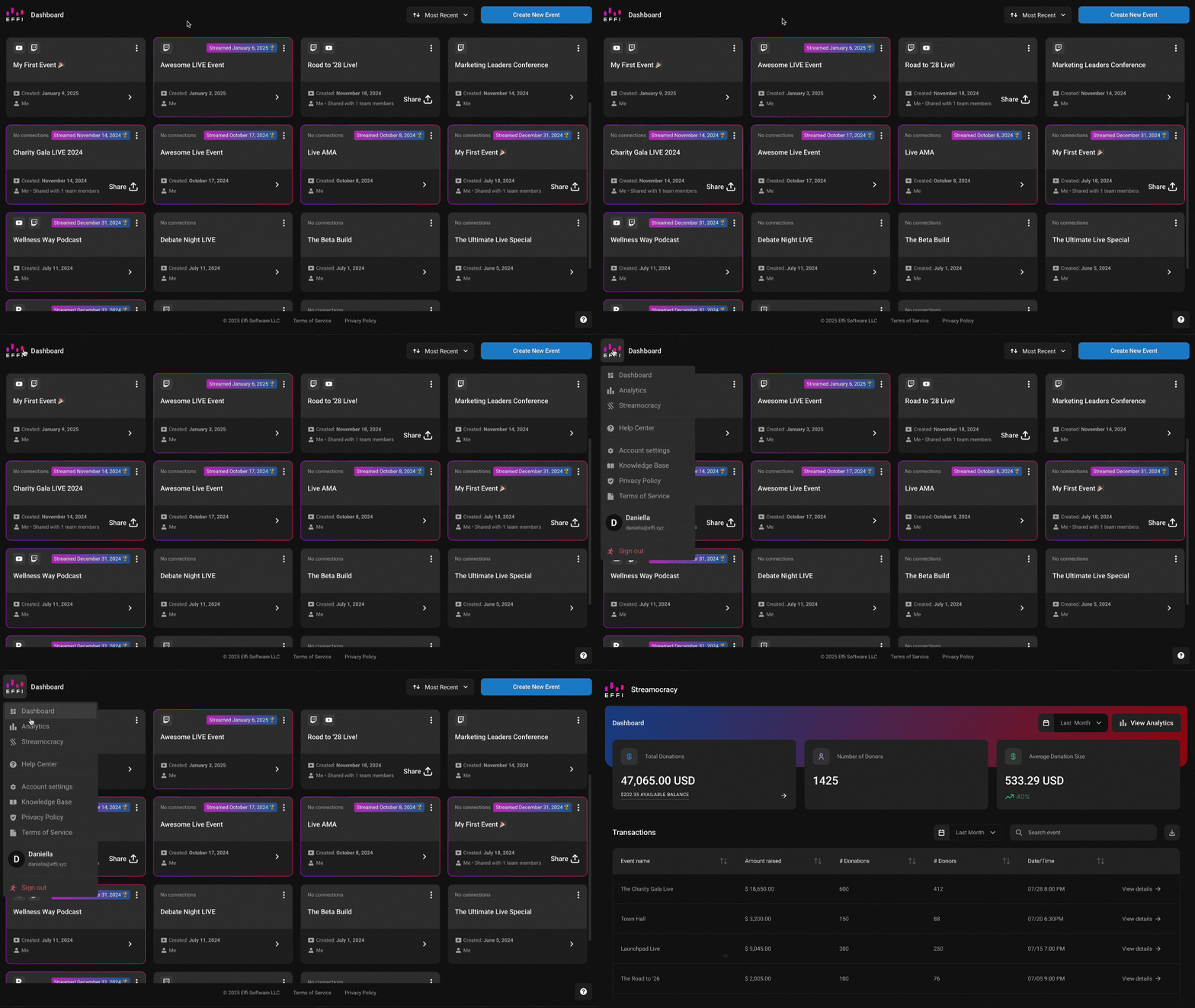
- Click the Effi logo in the top-left corner to open the main menu, then select Streamocracy.
Understanding the Dashboard
Your dashboard gives you an overview of donation activity across your recent events, based on whatever timeframe you select.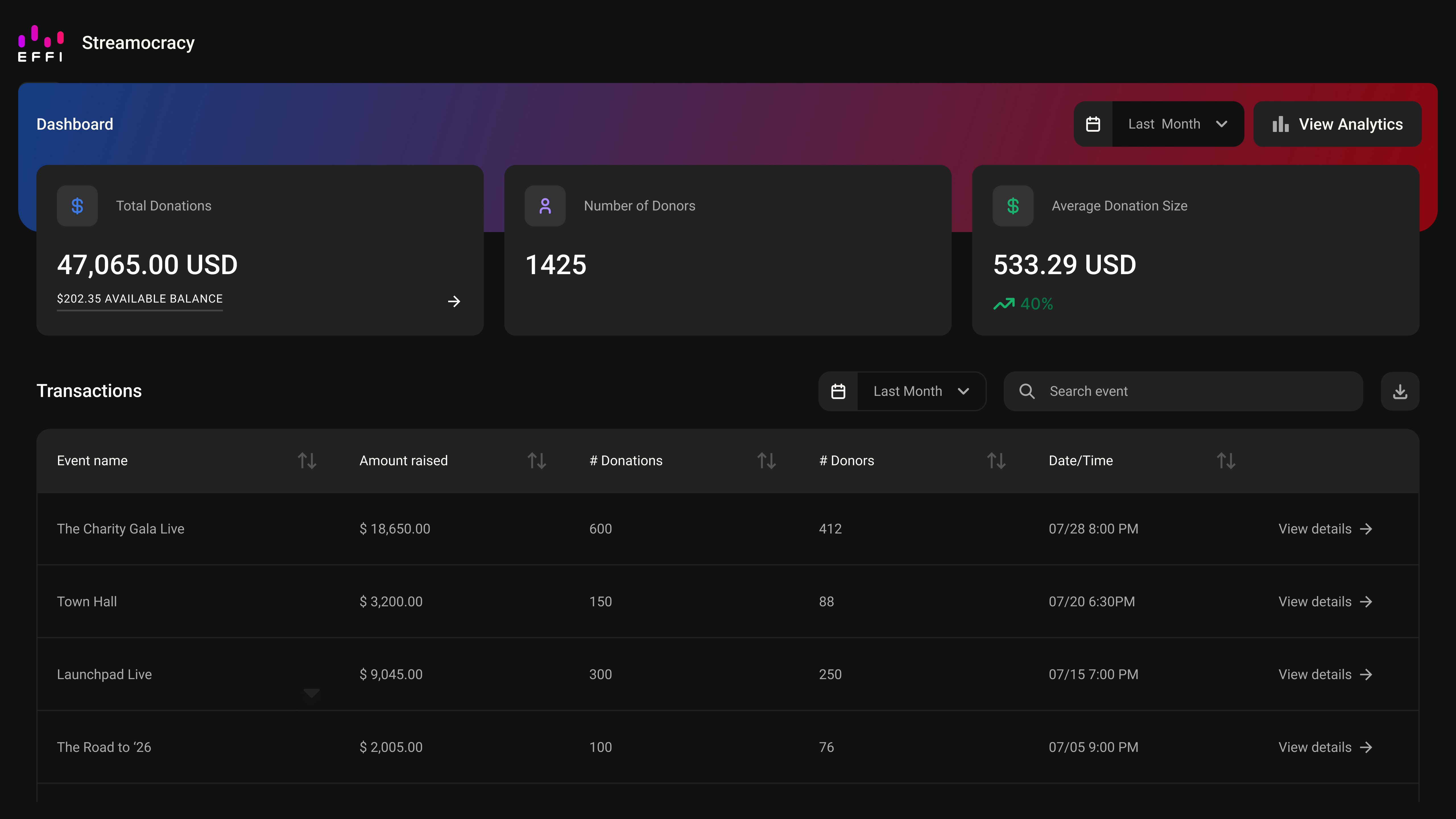
Dashboard Metrics
- Total Donations: the total amount raised during the selected time period.
- Available Balance: what's left in your account, shown just underneath Total Donations.
- Number of Donors: how many people contributed. Since a donor can give more than once, this may be lower than your total number of donations.
- Average Donation Size: the average contribution for the period, along with whether it trended up or down from the last one.
- Transactions: a table of every event in the selected timeframe, with the amount raised, number of donations and donors, and date and time.
- View Analytics: takes you straight to your Analytics dashboard for deeper metrics and insights.
Withdrawing Funds
Click the arrow in the Total Donations box to see your balance and withdrawal history, then click Withdraw Now to complete your transaction.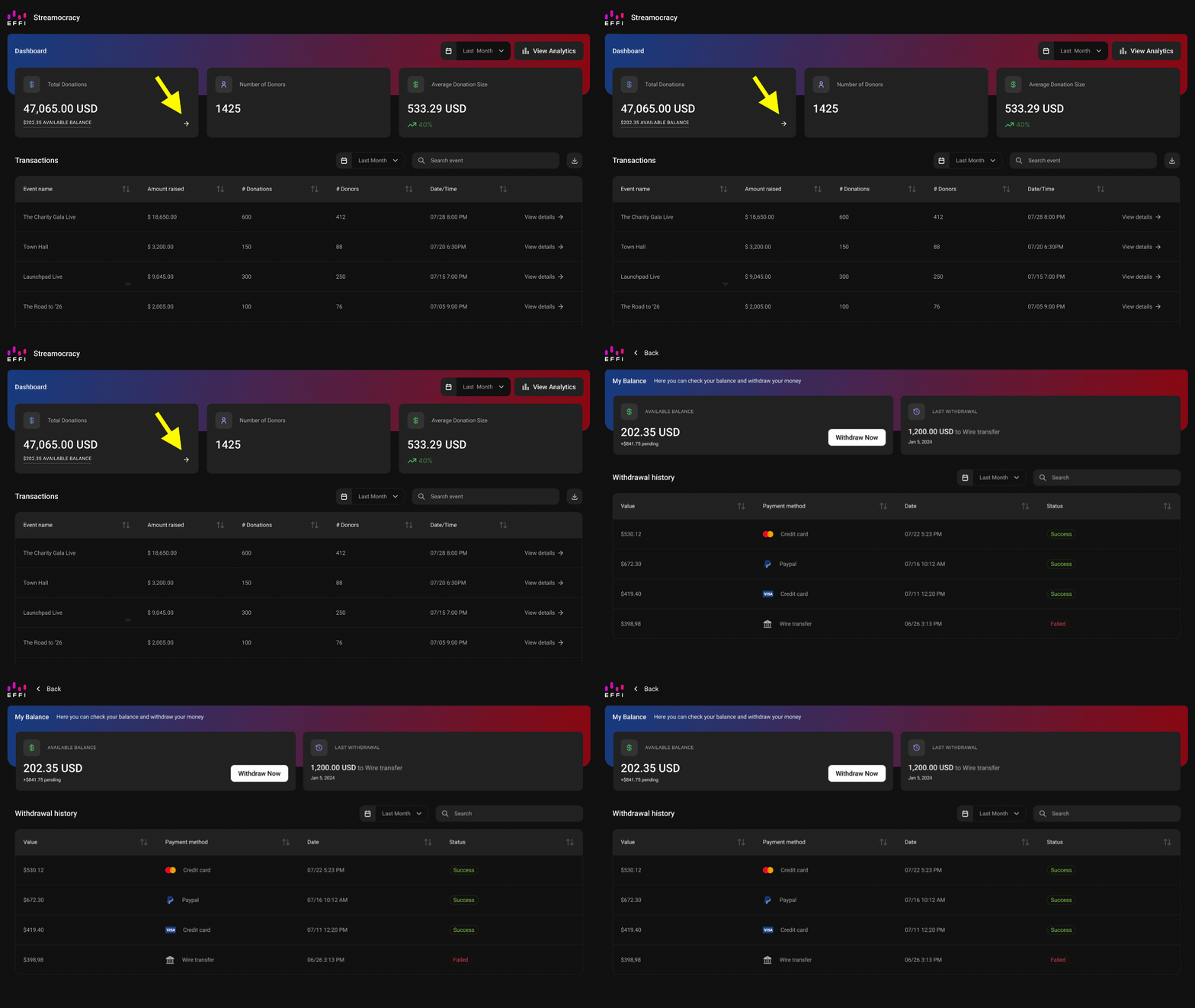
Donor Details
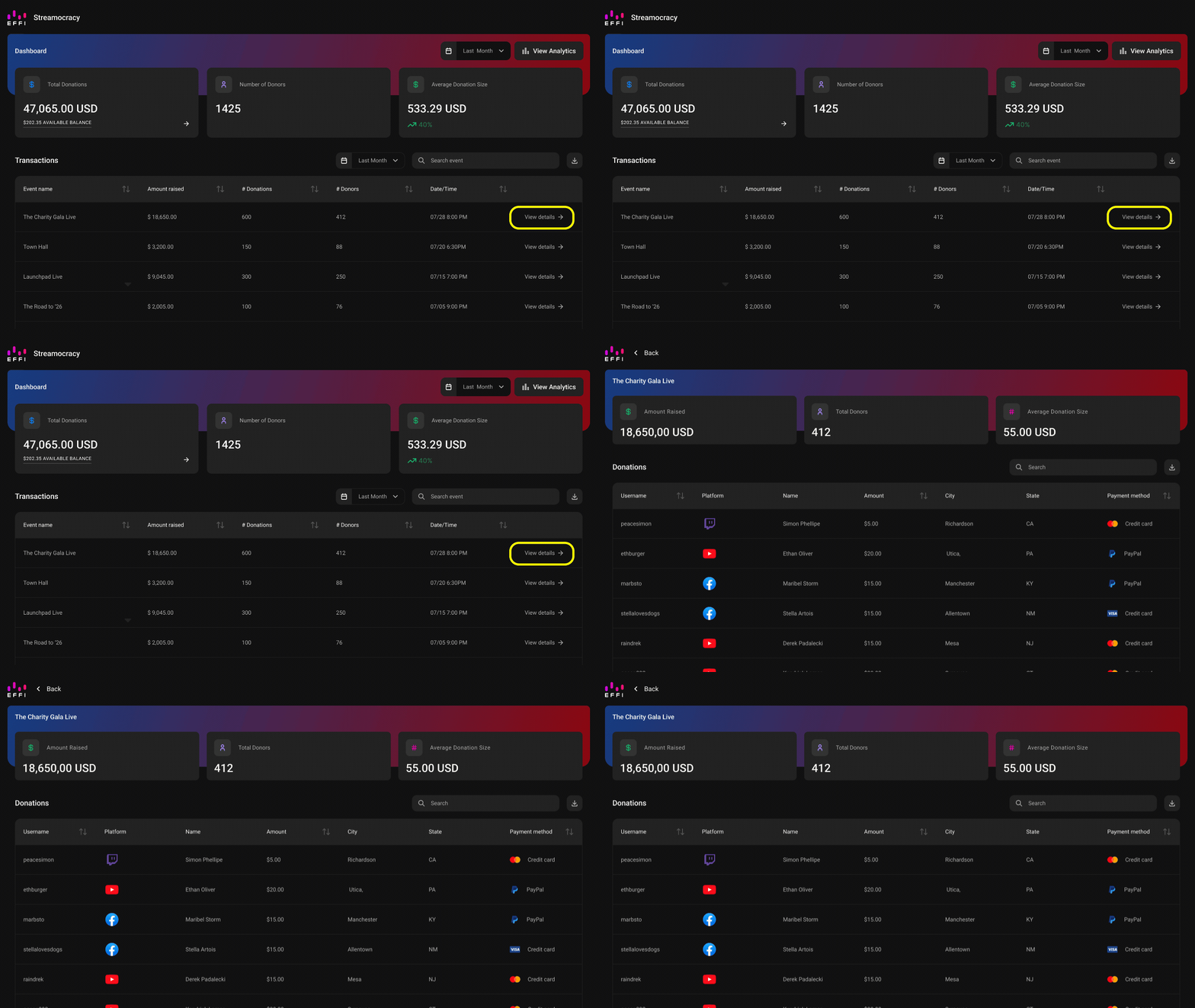
Click View Details on any event in your Transactions table for a closer look. You'll see a full list of donors, their usernames, contribution amounts, and payment methods, along with the option to download a CSV that includes additional details like phone numbers and email addresses.
Was this article helpful?
That’s Great!
Thank you for your feedback
Sorry! We couldn't be helpful
Thank you for your feedback
Feedback sent
We appreciate your effort and will try to fix the article