A guest is anyone you bring into your broadcast remotely — a co-host, an interviewee, a caller, a friend — without them needing to install anything. They join from a browser on a phone, tablet, or computer, and from there they can appear on camera, speak, and take part in your show alongside you.
Before diving into the how-to articles, it helps to understand the path a guest takes from the moment you invite them to the moment they're live on Stage.
The Guest Journey
Invited
It starts with an invite. You add the guest's details and send them a link — nothing to download, nothing to configure. That link is all they need to begin.
Greenroom
When a guest opens their invite, they land in the Greenroom — a private space where they can test their camera and microphone, get comfortable, and wait for you before anything goes live. This is where first impressions happen, so it's worth checking in with your guest here before moving forward.
On Stage
You don't have to wait until you're live to decide where a guest belongs. You can assign a guest to a specific scene ahead of time — even before they've joined at all. Once they enter the Greenroom, that assignment is already in place, so as soon as their scene goes live, they're automatically visible and audible to your audience. No manual placement needed in the moment.
Joining from Any Device
Guests aren't limited to a desk setup — they can join the Greenroom and Stage from a phone, tablet, or computer browser just as easily.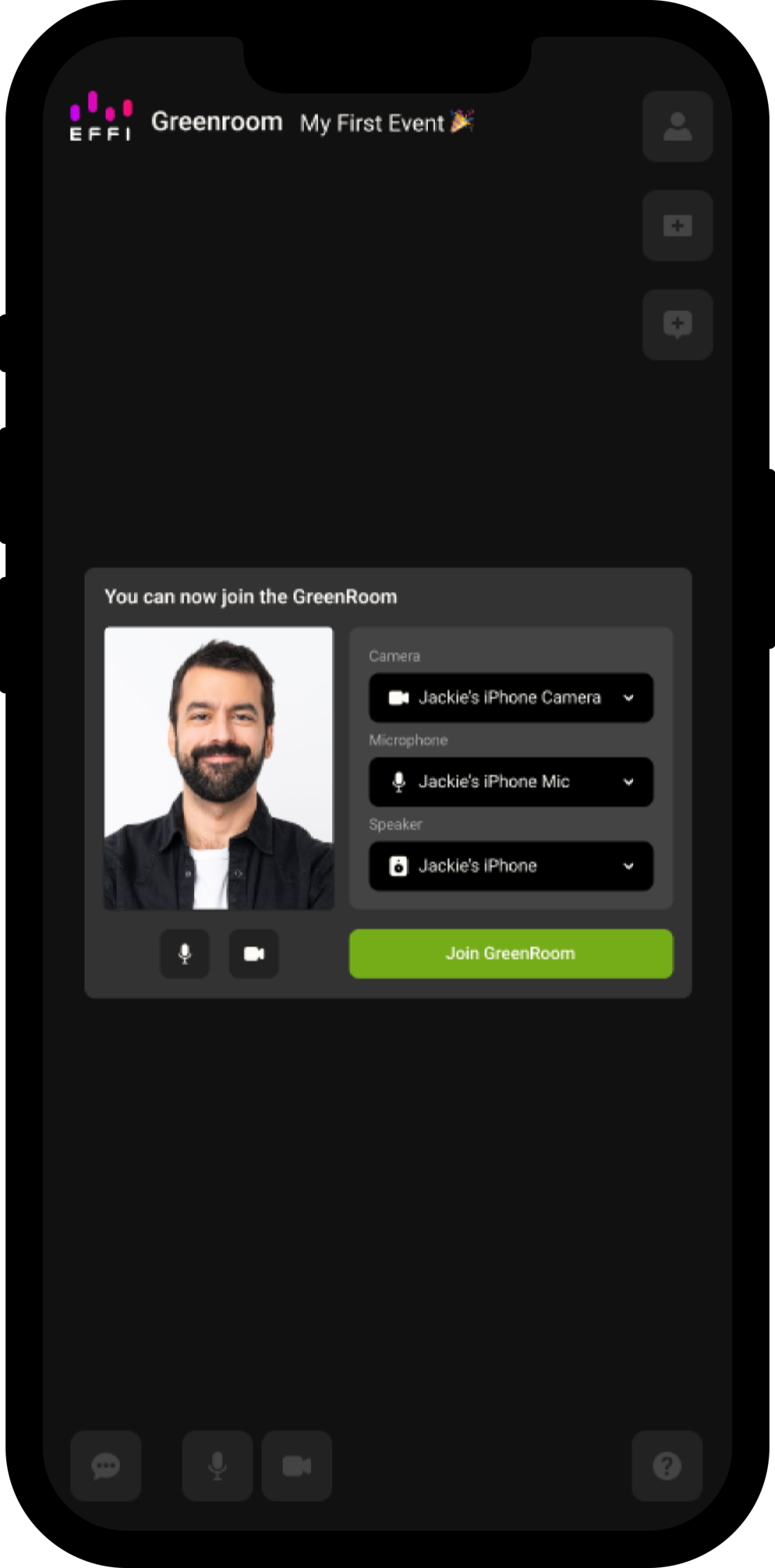
Was this article helpful?
That’s Great!
Thank you for your feedback
Sorry! We couldn't be helpful
Thank you for your feedback
Feedback sent
We appreciate your effort and will try to fix the article